


8 Best Occupancy Analytics Platforms in 2026
Most occupancy analytics platforms report how a floor was used last quarter. Whether a platform can also tell you how this should influence your next lease decision separates the shortlist.
Best Meeting Room Analytics Tools in 2026
Every meeting room platform on the market claims to offer analytics. Booking systems chart reservation trends, video hardware counts people, and workplace apps surface utilization dashboards. The reports look convincing, and most of them describe the same thing: what people put on the calendar.
However, a room booked for an hour and a room used for an hour are not the same event, and only one of them tells you whether you actually need more space.
For example, at one global consulting firm, 40% of monthly booked room hours went unattended, and a calendar-based report would have shown those rooms as busy.
The key question is whether your analytics measure what was scheduled or what actually happened, and whether you can turn that measurement into a forward-looking plan.
This guide compares eight platforms across four categories, occupancy intelligence, booking-system analytics, integration and partner platforms, and dedicated occupancy sensors:
- VergeSense: Occupancy intelligence that measures actual room usage and feeds forward-looking space planning
- Robin: Workplace experience and room-scheduling platform built on Microsoft 365, with booking analytics
- OfficeSpace Software: Workplace management platform with AI-driven space planning and booking-based utilization reporting
- Microsoft Places: Microsoft 365 workplace app for hybrid coordination and room insights
- Logitech: Meeting-room video hardware with people-count sensing from Rally Bar and Spot
- AppSpace: Workplace platform pairing space booking with digital signage and an employee app
- XY Sense: Workplace occupancy sensor platform with real-time and historical analytics
- Occuspace: WiFi-based passive occupancy sensing for area-level utilization
Want to see what's actually happening in your meeting rooms, not just what was scheduled?
VergeSense helps workplace and real estate leaders uncover ghost meetings, measure real utilization, and plan smarter room portfolios.
At a Glance: Comparison of Meeting Room Analytics Tools
Here is how the eight platforms compare on what they actually measure and how far each one takes you toward a plan.
|
Tool |
Best For |
Core Approach |
Data Inputs |
Analytics and Planning Depth |
Best-Fit Buyer |
|
VergeSense |
Measuring actual room usage and planning portfolios from it |
Sensor-based occupancy intelligence |
Area sensors, booking systems, badge, WiFi, video device signals |
Historical reporting plus forward-looking Predictive Planning |
Enterprise workplace and CRE teams making lease and design decisions |
|
Robin |
Room and desk scheduling on Microsoft 365 |
Booking-led workplace experience |
Calendar and reservation data |
Utilization reporting from booking activity |
Teams standardizing hybrid scheduling |
|
OfficeSpace Software |
Broad workplace management with AI planning |
Booking-led management platform |
Booking and badge data, customer historical inputs |
Reporting and AI space planning from booking inputs |
Facilities teams wanting an all-in-one system |
|
Microsoft Places |
Hybrid coordination inside Microsoft 365 |
Microsoft 365 workplace app |
Outlook, Teams, and connected room data |
Room and attendance insights inside M365 |
Microsoft-standardized organizations |
|
Logitech |
Room video with built-in people counting |
Meeting-room hardware sensing |
Rally Bar and Spot person-count signals |
Room utilization reporting from installed hardware |
Teams with Logitech rooms at scale |
|
AppSpace |
Booking plus signage and wayfinding |
Workplace platform with booking |
Booking data, integrated occupancy signals |
Booking analytics and space visibility |
Teams unifying booking, signage, and comms |
|
XY Sense |
Real-time sensor-based occupancy |
Dedicated occupancy sensors |
First-party area and presence sensors |
Real-time and historical utilization analytics |
Teams wanting live sensor dashboards |
|
Occuspace |
Lightweight area-level counts |
WiFi and passive signal sensing |
WiFi access points, plug-in sensors |
Area-level historical and real-time reporting |
Teams needing broad, low-touch coverage |
Best Meeting Room Analytics Tools in 2026
The tools below are ordered by how directly they answer the question that matters for space planning decisions: what actually happened in the room. We weighed each one on data accuracy, the size of the gap between scheduled and actual usage it can see, its ability to support planning rather than just reporting, and how far it takes you from a chart to an action.
1. VergeSense
VergeSense measures room-level occupancy directly rather than inferring it from bookings. Its area sensors record how each room is used, and that measurement feeds both historical utilization reporting and forward-looking space planning. Both capabilities run on the company's platform, Meridian, whose Large Spatial Model is trained on 250M+ sq ft of measured workplace data.
Selected features
- Infinity Area Sensor: A wireless, magnetic-mount sensor with a roughly 10-year battery and occupancy detection across a room.
- Occupancy Intelligence: Unifies sensor, booking, badge, WiFi, and video-device signals into a single measurement layer, so you see how space is used rather than how it's assumed to be used.
- Ghost-meeting and no-show detection: Flags booked rooms that go unattended and can automatically release them back to the pool.
- Historical utilization reporting: Shows how each room and room type has been used over weeks and months.
- Predictive Planning: Uses measured demand to model portfolio scenarios before a lease or redesign decision.
- Workplace Assistant: An information-retrieval tool that lets you ask plain questions about how your rooms have been used.
- Integrations: Connects with room-booking systems, Microsoft Places, and ServiceNow Workplace Service Delivery.
Best for
Enterprise workplace experience and corporate real estate teams that need to defend lease, right-sizing, and design decisions with measured evidence, and to plan the next portfolio move from the same data.
A real-life example
A global consulting firm eliminated 4,160 hours of ghosted meetings per month at its Hudson Yards office after occupancy data revealed that 40% of its 10,400 monthly booking hours went unused. Rather than lease an additional floor, the firm automated the release of unused rooms and installed phone booths to match real demand. The result was roughly $50K per month in avoided leasing costs, about $600K a year.
Want to know how many of your booked rooms actually get used?
See what measured room-level occupancy reveals across your own floor plans.
2. Robin
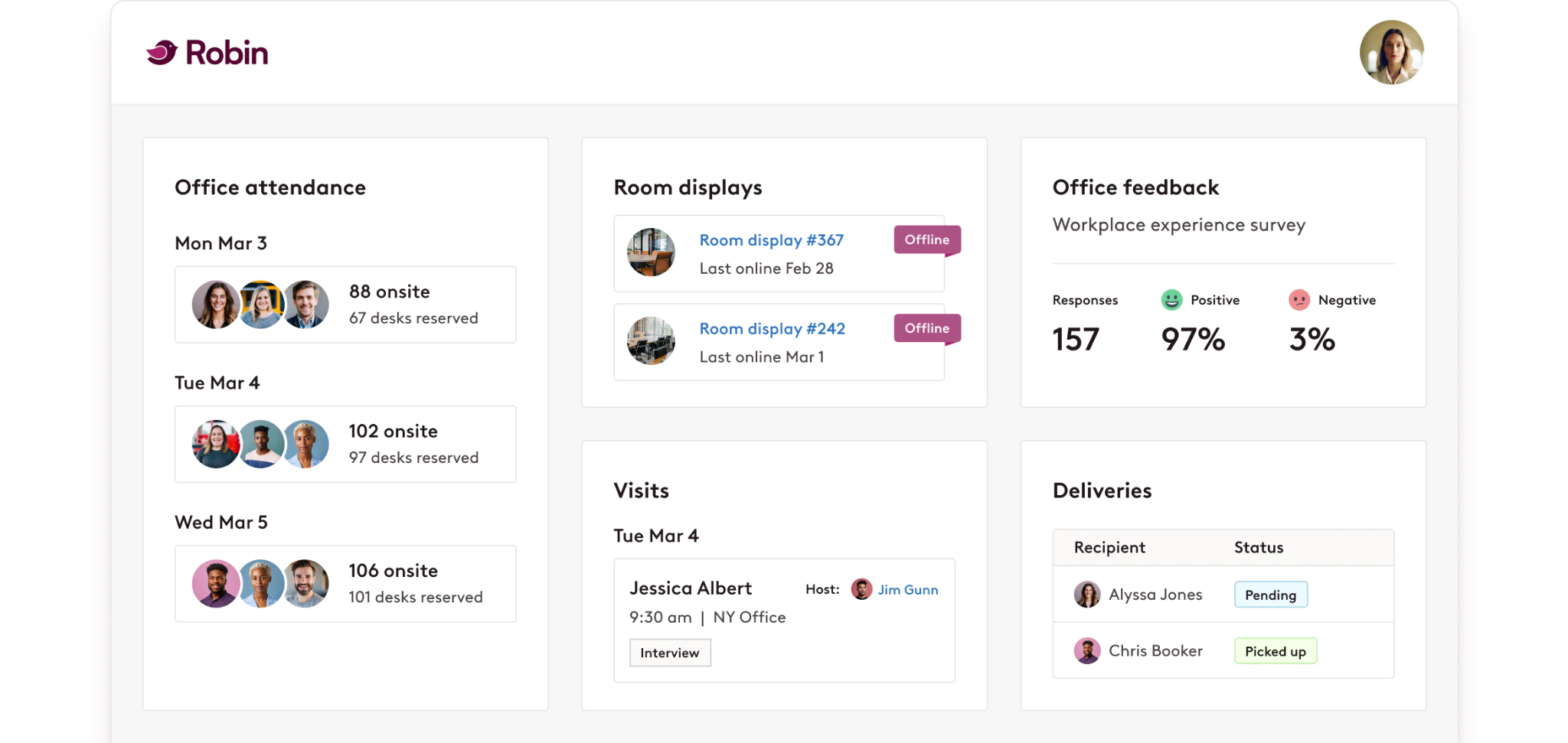
Robin is a workplace experience platform that centers on room and desk scheduling built on Microsoft 365 and Google Calendar. It was named a Leader in the inaugural 2026 Gartner Magic Quadrant for Workplace Experience Applications. Robin's analytics track utilization from booking and reservation activity across the workplace.
Selected features
- Room and desk booking: Reserve rooms, desks, and other resources with calendar sync.
- Microsoft 365 and Google Calendar integration: Keeps reservations aligned with the tools employees already use.
- Workplace analytics: Reports utilization trends and forecasts needs from booking data.
- Interactive maps: Wayfinding and availability across floors.
- Check-in workflows: Confirms reservations to reduce some no-shows.
Example use cases
Standardizing hybrid scheduling across offices, giving employees a consistent way to find and book rooms, and reporting on reservation demand for facilities planning.
What VergeSense complements
Robin reports what was booked. VergeSense captures what actually happened in the room, and the two integrate so booking data and measured occupancy sit side by side, closing the no-show gap booking alone can't see.
3. OfficeSpace Software
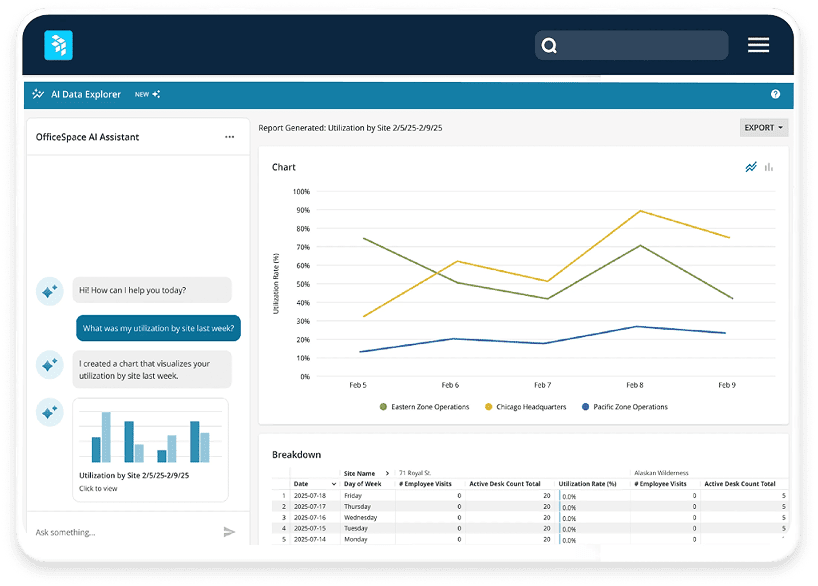
OfficeSpace Software is a workplace management platform used by 2,000+ teams across more than 113 million square feet. Its AI Canvas, built on the Dojo AI technology it acquired in 2025, adds agents for space planning, insights, and facilities. The platform, backed by Vista Equity Partners, spans booking, moves, and facilities workflows.
Selected features
- AI Canvas: Agentic space planning, insights, and workplace experience assistance.
- Room and desk booking: Reservation and scheduling across the portfolio.
- Block and stack planning: Visual space design and scenario layouts.
- Moves, adds, and changes: Workflow management for reconfiguration.
- Workplace intelligence: Utilization reporting from booking and badge inputs.
Example use cases
Running an all-in-one facilities system, planning moves and stack layouts, and reporting utilization from bookings and badge activity.
The tradeoff
OfficeSpace draws its analytics from booking and customer historical inputs rather than sensor-measured occupancy, so ghost meetings and belongings-claimed rooms stay invisible without a sensor layer underneath. Its planning is only as accurate as the assumptions and reservations fed into it.
4. Microsoft Places
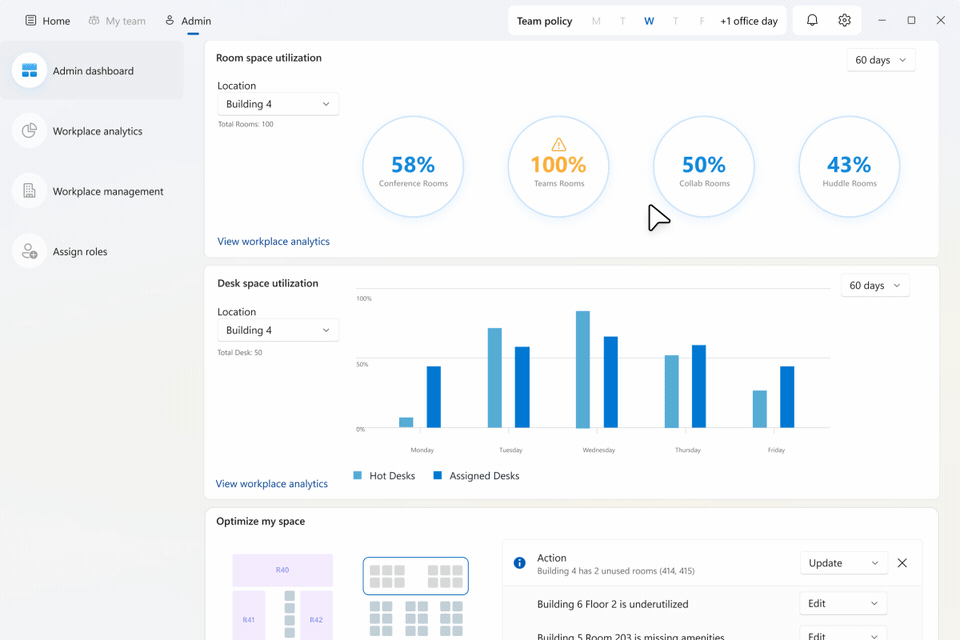
Microsoft Places is a Microsoft 365 workplace app that helps hybrid teams coordinate in-office days and gives leaders room and attendance insights inside the tools they already run. It connects Outlook, Teams, and workplace data to guide where and when people gather. Places is a natural fit for organizations already standardized on Microsoft 365.
Selected features
- Hybrid scheduling: Coordinates in-office days across teams.
- Room finding: Surfaces available rooms tied to Outlook and Teams.
- Space analytics: Room and attendance insights inside Microsoft 365.
- Wayfinding: Availability displays for large or multi-floor sites.
- Microsoft 365 integration: Works within existing Outlook and Teams workflows.
Example use cases
Coordinating hybrid attendance, guiding employees to available rooms, and reviewing attendance patterns without leaving Microsoft 365.
What VergeSense complements
VergeSense feeds measured occupancy into Microsoft Places, so leaders can see how spaces are actually used versus how they were intended to be used. Sensors detect real occupancy, release ghosted meetings automatically, and push live availability into the Microsoft Places booking experience.
5. Logitech
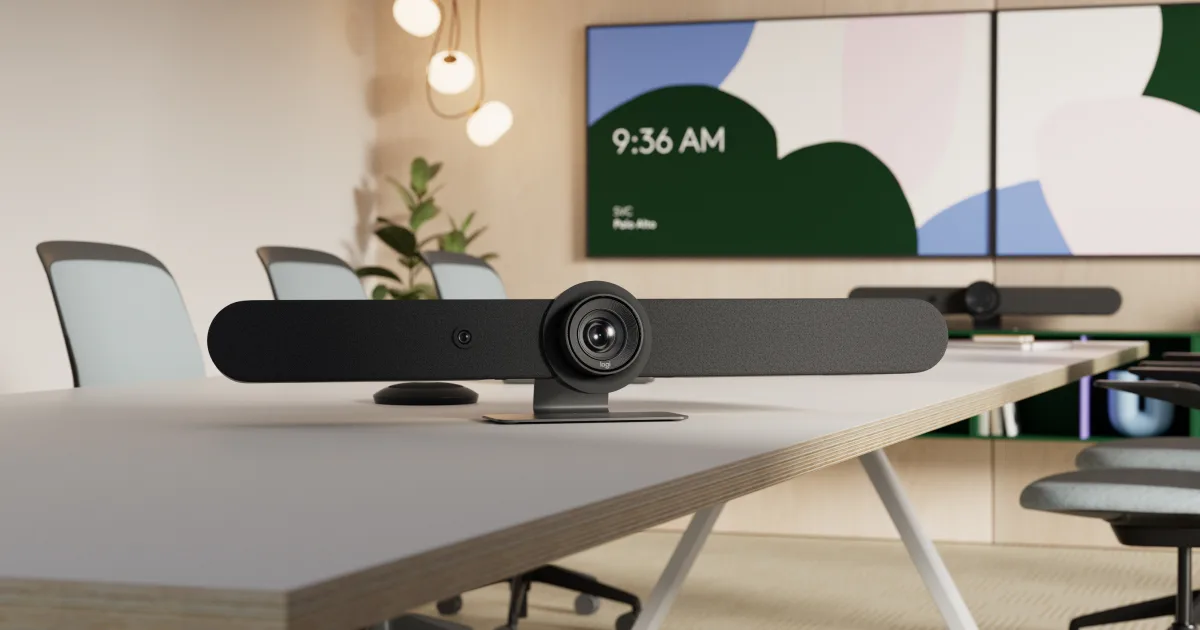
Logitech is best known for meeting-room video hardware, and its Rally Bar and Rally Bar Mini video bars and Spot room sensors add room and people-count sensing. Because those devices are already deployed in conference rooms at scale, they contribute real-time person-count signals without new hardware. Logitech is a VergeSense partner.
Selected features
- Rally Bar and Spot data: Real-time occupancy signals from installed video hardware and room sensors.
- Rally Bar and Rally Bar Mini: Room video devices that double as sensors.
- Room utilization signals: Feeds conference-room usage data from existing rooms.
- Broad room coverage: Reuses hardware many organizations already run.
- Video conferencing: Core meeting experience for hybrid rooms.
Example use cases
Adding occupancy signals to rooms that already have Logitech video, measuring conference-room usage without new sensors, and enriching room reporting from installed devices.
What VergeSense complements
Logitech's person-count signals power conference-room utilization reporting and feed VergeSense Predictive Planning. The VergeSense and Logitech integration gives a fuller picture of how every space is used, so if you already run Logitech rooms, you get added planning coverage without new hardware.
6. AppSpace
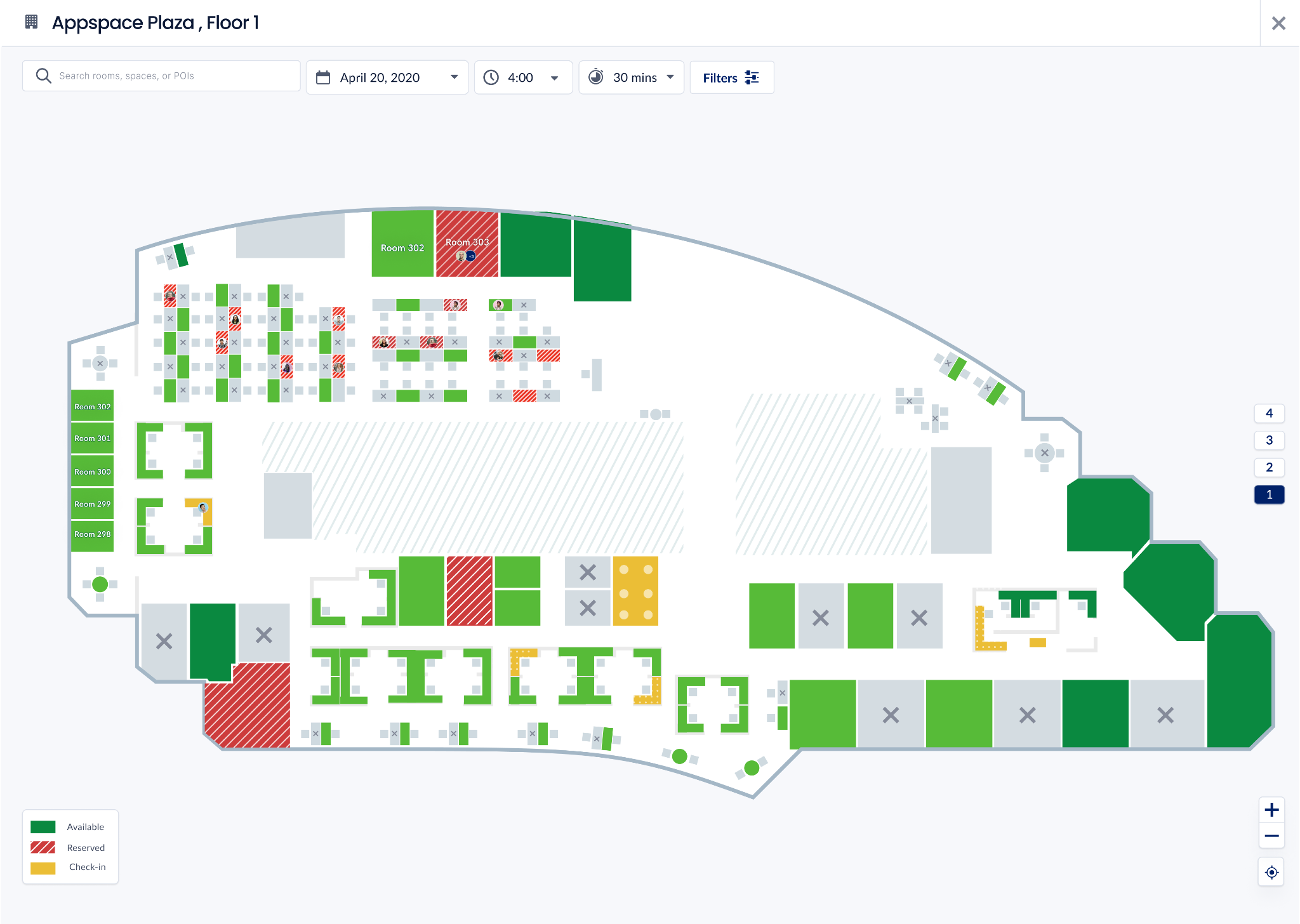
AppSpace is a workplace platform that pairs space and desk booking with digital signage, an employee app, and visitor management. Its Workspace product handles reservations while signage and maps guide employees to available rooms. AppSpace is a VergeSense partner.
Selected features
- Workspace booking: Space and desk reservation with check-in.
- Digital signage and kiosks: Room and wayfinding displays.
- Employee app: Live office maps and availability.
- Visitor management: Guest check-in and wayfinding.
- Analytics and integrations: Booking insights across the platform.
Example use cases
Unifying booking, signage, and internal comms in one platform, guiding employees with live maps, and standardizing the reservation experience across offices.
What VergeSense complements
The VergeSense and AppSpace integration releases booked but unused rooms automatically, reserves in-use spaces, and streamlines check-ins without manual intervention. AppSpace runs the booking and experience layer, and VergeSense supplies the measured occupancy that makes those actions accurate.
7. XY Sense
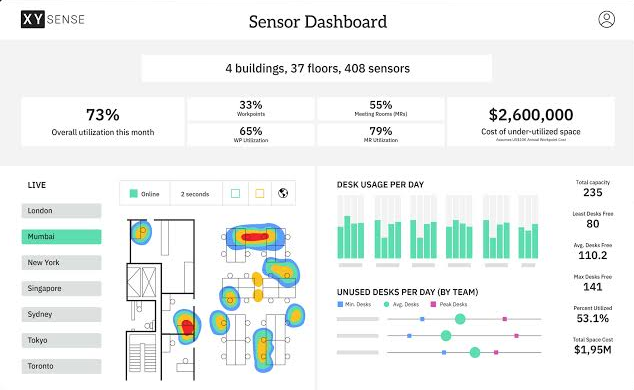
XY Sense is a dedicated workplace occupancy sensor platform that offers both real-time and historical analytics. Its first-party sensors measure space usage directly, and its Live Views present real-time visualizations alongside historical analysis in the Insights Platform. As a sensor-based competitor, it measures actual occupancy rather than bookings.
Selected features
- Area Pro Sensor: Ceiling-mounted sensor for larger workspace areas.
- Presence Sensor: Measures usage in pods and small work areas.
- Entry Sensor: Tracks entry and threshold counts.
- Live Views: Real-time occupancy visualizations.
- Insights Platform and API: Historical analytics and data access.
Example use cases
Live occupancy dashboards for workplace teams, real-time room and desk availability, and historical utilization analysis from first-party sensors.
The tradeoff
XY Sense measures actual occupancy well, but its strength is real-time and historical reporting rather than portfolio forecasting. Teams that need to model a floor consolidation or a room-mix change, or to release ghosted bookings automatically, will need that capability from elsewhere.
8. Occuspace
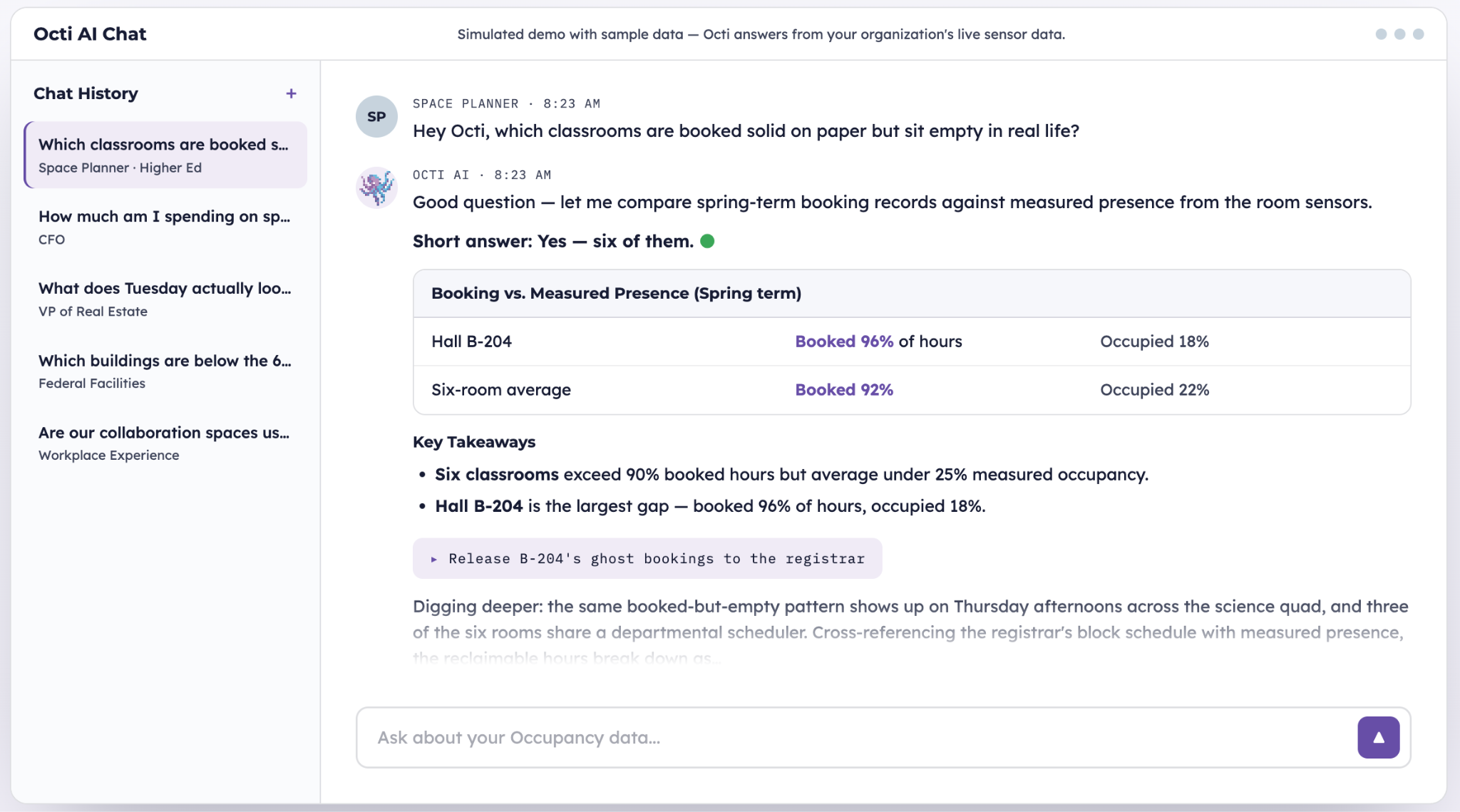
Occuspace uses passive wireless signal detection, including WiFi access points and plug-in sensors, to measure occupancy anonymously at the area level. It reports real-time headcount, traffic, dwell time, and availability, and its Octi AI assistant answers questions about space usage. It's a lightweight way to get broad coverage.
Selected features
- WiFi AP integration: Uses existing access points for coverage.
- Macro and Micro Sensors: Plug-in hardware for spaces without suitable WiFi.
- Area-level metrics: Occupancy, traffic, dwell time, and availability.
- Octi AI: Conversational assistant for space-usage questions.
- Dashboards and API: Real-time and historical reporting.
Example use cases
Broad, low-touch occupancy coverage across a campus, area-level trend reporting, and anonymous headcount for large open spaces.
The tradeoff
Occuspace reports at the area level rather than the individual room, and passive WiFi-based counts run at roughly 85% accuracy at the floor level, below what dedicated area sensors achieve. It focuses on historical and real-time reporting, not forward-looking planning.
Key Features and Capabilities to Prioritize in Meeting Room Analytics
These are the dimensions worth comparing once you have a shortlist.
Occupancy Data Accuracy: Scheduled vs. Actual
The first question is what the number actually represents. Booking-based tools report reservations, so a room booked and abandoned still reads as full. Sensor-based measurement reports presence, which is why it surfaces the ghost meetings and room squatting that booking data can't.
Accuracy also varies by method. VergeSense area sensors measure occupancy at roughly 95% accuracy at the area level, while passive WiFi-based counts sit closer to 85% at the floor level. Ask any vendor how they measure and at what level.
Reporting Depth and Historical Analysis
What matters is whether the platform holds enough measured history to reveal patterns: midweek concentration, recurring no-shows, and room types that are chronically over- or under-booked.
Historical depth is what makes the hidden cost of unattended rooms visible over time. A tool that keeps months of room-level measurement lets you separate a one-off spike from a durable trend before you act on it.
Planning and Forecasting Capabilities
The strongest platforms use measured history as the input to forward-looking models, so a right-sizing or lease scenario rests on real demand rather than assumptions.
In practice that means taking the same measured occupancy that powers historical reporting and using it to stress-test a floor consolidation or a room-mix change before committing. Predictive Planning is one example of this; the question for any vendor is whether their scenarios run on measured usage or on booking assumptions.
Andrea Diieso, Director of Workplace Experience at Rapid7, described the goal this way: "We're focusing on creating purpose-driven neighborhoods, spaces that support the work employees are actually doing, whether that's collaboration, heads-down work, or enclosed meetings. It's all about getting the right ratio for the office as a whole, rather than dividing space by individual teams."
Data Inputs and Deployment Flexibility
Some tools read a single source, usually the calendar. Others unify sensors, booking systems, badge, WiFi, and video-device signals into one measurement layer, which matters when different rooms and buildings carry different infrastructure.
Deployment effort varies just as much. Wireless, battery-powered sensors with magnetic mounts install without cabling, while WiFi-based approaches trade some accuracy for near-zero hardware.
Enterprise Readiness and Scalability
Meeting room analytics has to hold up across a global portfolio, not one pilot floor.
Ask for the numbers rather than the claim: how many enterprise customers, across how many countries and sites, and how many integrations into the stack you already run.
Stakeholder Usability
Workplace, real estate, and IT teams all read this data differently, so the tool has to serve more than one audience. Dashboards need to be legible to a workplace strategist and defensible to a CRE leader.
An information-retrieval layer helps here, letting a non-analyst ask plain questions about how rooms have been used instead of waiting on a report. Workplace Assistant is one example of this.
How to Choose Meeting Room Analytics for Your Team
Most of the evaluation comes down to matching the tool to the decision you need to make. A short internal alignment step, followed by a few pointed vendor questions, keeps your shortlist relevant and useful.
Questions to Ask Internally
- What decision will this data support: daily operations, a redesign, or a lease?
- Do we need to know what was booked, what actually happened, or both?
- Which teams will read the reports, and what does each one need from them?
- Do we have the infrastructure for sensors, or do we need a low-touch approach first?
- Are we reporting on the past, or planning the next portfolio move?
Questions to Ask Vendors
- Does your data measure reservations or actual presence in the room?
- What is your measurement accuracy, and at what level, room or floor?
- Can the platform turn historical usage into forward-looking planning scenarios?
- How does it integrate with our booking system and workplace tools?
- How many enterprise sites and countries do you support today?
Working through room and lease decisions without continuous data to back them?
See how VergeSense measures real utilization, surfaces ghost meetings, and turns that history into a forward-looking plan.
FAQs About Meeting Room Analytics
What Is the Difference Between Meeting Room Booking Data and Occupancy Data?
Booking data reports what was reserved on the calendar. Occupancy data reports whether people actually used the room. A room can be fully booked and mostly empty, so occupancy data is what reveals real utilization and no-shows.
How Do Ghost Meetings Affect Meeting Room Analytics Accuracy?
Ghost meetings are booked rooms nobody attends. Booking-based reports count them as used, which inflates utilization and hides available capacity. Sensor-based occupancy measurement detects the no-show, corrects the picture, and can release the room automatically.
Can Meeting Room Analytics Help Reduce Real Estate Costs?
Yes. Exposing rooms that are booked but never used lets you reclaim capacity you already have instead of leasing more. Savings usually come from avoided leases and cancelled buildouts, plus smaller gains from converting oversized conference rooms into the small spaces real demand calls for.
What Data Sources Are Needed to Get Started With Meeting Room Analytics?
It depends on the approach. Booking analytics need only calendar data, WiFi-based sensing reuses existing access points, and dedicated sensors add wireless hardware. Many platforms combine sensors, booking, badge, and WiFi into one measurement layer.
How Long Does It Take to See Actionable Insights From Meeting Room Analytics?
Real-time dashboards show usage almost immediately, but durable patterns take a few weeks of measured history. Planning decisions like right-sizing or lease scenarios are strongest once you have enough history to separate trends from one-off spikes.