


Finance teams want to cut real estate costs. Employees need a work environment that actually supports how they work. Balancing those two demands is expensive and difficult without reliable data.
Office space planning determines how you deploy millions in real estate spend. Every lease renewal, portfolio-sizing decision, and workplace redesign is a multi-million-dollar commitment. Get it wrong, and you're carrying wasted square footage or dealing with chronic space shortages that frustrate employees and inflate costs.
Modern office space planning addresses this gap by replacing assumptions with real usage data, giving real estate and workplace teams the visibility to make confident decisions on both fronts.
This article covers:
- Measuring space utilization across desks, collaboration areas, and meeting rooms
- Identifying workflow patterns that drive space demand
- Forecasting capacity needs based on hiring and policy changes
- Office design principles that support flexible, scalable workplaces
- Technology platforms that automate space planning analysis
Ready to move beyond assumptions?
See how predictive planning helps you translate utilization data into decisions about portfolio right-sizing and design.
What Is Office Space Planning and Why Does It Matter?
Office space planning aligns your physical workspace with business objectives, employee needs, and operational efficiency. It directly impacts cost control, productivity, and employee experience.
Traditional office planning relied on static formulas: square footage per employee, fixed desk ratios, and legacy benchmarks that had little to do with how space was actually used. Even well-resourced planning engagements — the kind that take three to six months and model one or two scenarios — often deliver findings that are outdated by the time decisions get made.
Modern approaches use occupancy intelligence and workplace analytics to reflect real usage patterns. The shift toward predictive workplace planning has fundamentally changed how organizations approach portfolio decisions.
In the table below, we use VergeSense as an example of a modern workplace planning platform, so you can see how the two approaches differ in practice:
|
Traditional Approach |
With VergeSense |
|
Badge data + gut feel |
Actual behavioral occupancy data from sensors, Wi-Fi, badges, and bookings |
|
$250K–$1.5M per consulting engagement |
Platform subscription with unlimited scenarios |
|
3–6 month study, outdated on delivery |
Answers in hours, continuously updated |
|
1–2 scenarios per engagement |
Unlimited scenario modeling, self-serve |
|
Manual PowerPoint assembly for the CFO |
AI-generated executive summaries and ROI cards |
|
Re-engage the consultant when anything changes |
Forecasts update automatically as new data flows in |
Analyzing Current Space Utilization
Average capacity usage numbers rarely tell the full story. For example, a meeting room showing 40% average capacity usage hides a critical detail: fully booked during peak hours, empty early mornings, and late afternoons.
Likewise, a neighborhood averaging 55% desk utilization might look healthy until you discover that 30% of desks are never touched, while another cluster consistently runs above 85% capacity.
These imbalances signal opportunities to redistribute space, adjust desk allocation, or redesign neighborhoods to match actual demand.
Effective utilization analysis requires measuring at multiple levels:
- Building-level utilization
- Floor-by-floor breakdown
- Neighborhood patterns
- Individual space performance
A building appearing well-utilized at 60% overall can mask a third floor running at 80% capacity while the fifth floor sits at 35%. This multi-level view helps you identify where to consolidate, where to expand, and which zones are candidates for right-sizing.
Modern measurement approaches continue to evolve, offering clearer data and more confident decisions than ever before.
Identifying Employee Workflow Patterns
Utilization numbers show what's happening with your space. Workflow patterns explain the reasons behind it. Knowing when and how employees use space is what turns a floor plan into a planning strategy that supports how work actually happens.
Analyze temporal patterns first: which days see the highest occupancy, when collaboration spaces reach capacity, and whether meeting room demand clusters around specific times.
For example, if peak days consistently run at 75% desk utilization while Mondays and Fridays sit near 35%, that gap may signal room to right-size your footprint without disrupting how employees work.
Three planning metrics are particularly useful:
- Employee risk threshold: The utilization level at which employees begin experiencing space shortages, typically before a space appears "full" in aggregate reporting. This used to be a qualitative metric, but some tools allow you to quantify and measure it.
- Space shortage or surplus: Where you have too much capacity, and where employees are competing for resources.
- Safe operating zone: The utilization range that balances cost efficiency with employee experience, avoiding both wasteful vacancy and frustrating overcrowding.
Understanding how to translate occupancy data into planning decisions is essential for confident portfolio management.
Evaluating Future Growth Requirements
Your current footprint works for today's headcount. Add 200 hires next quarter, shift to a four-day on-site policy, or consolidate regional teams into a single hub, and you need to know if your space still works.
Most organizations try to plan for these changes with spreadsheets and outdated square-footage-per-employee ratios, resulting in expensive overbuilding or scrambling for emergency space when demand spikes.
Effective forecasting requires aligning with HR and finance to understand:
- Hiring pipelines and headcount growth
- Organizational restructuring plans
- Anticipated policy changes (return-to-office mandates, hybrid schedules)
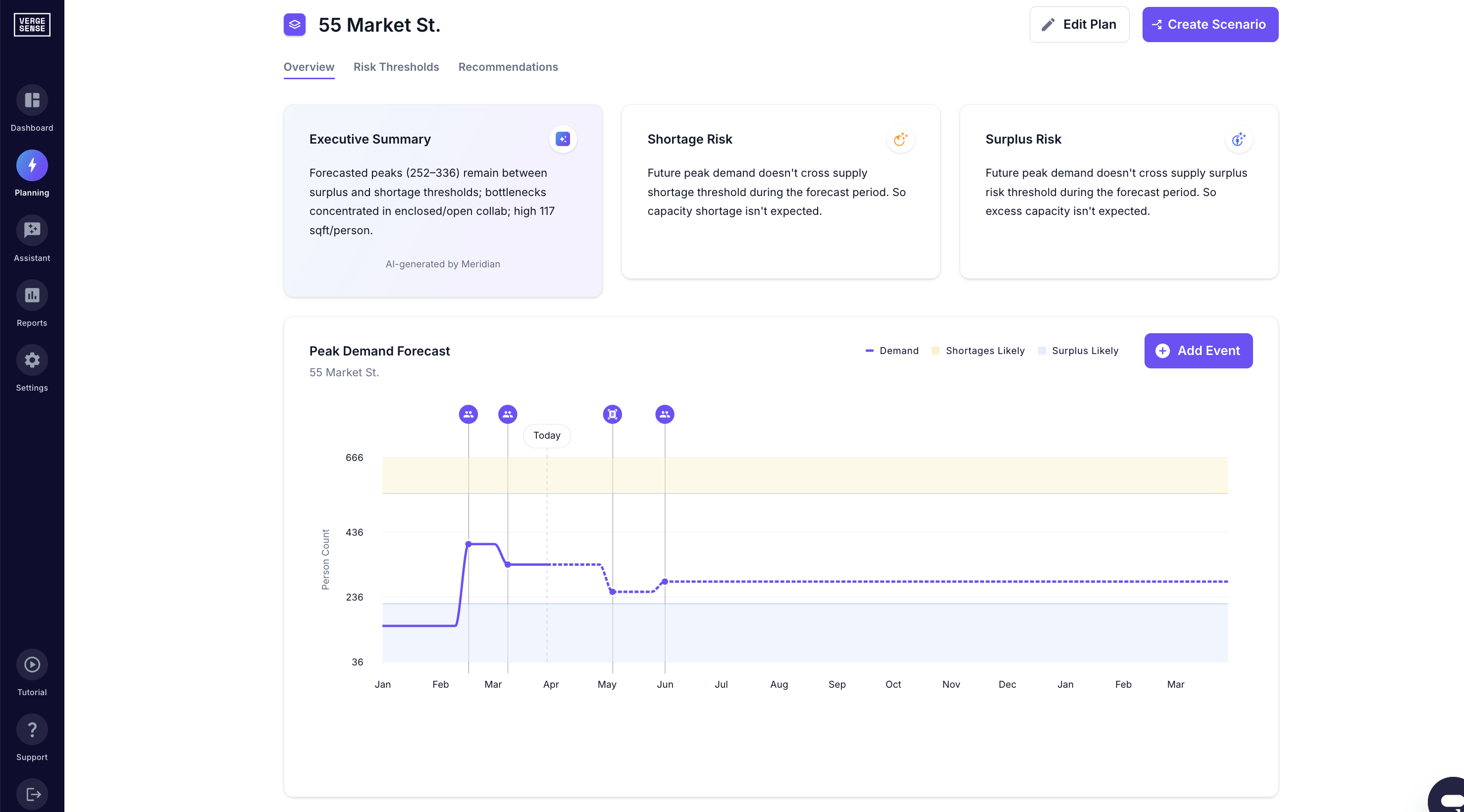
There are predictive planning tools that can model how these changes affect capacity, showing exactly when your current footprint will hit constraints and whether you need to add desks, reconfigure neighborhoods, or expand into a new office floor.
Ready to model your growth scenarios with real occupancy data?
Explore our space planning guide to see how predictive planning turns hiring plans and policy changes into actionable capacity forecasts.
How To Conduct an Office Space Planning Assessment
A rigorous assessment gives you the foundation for confident real estate decisions, whether you're negotiating a lease renewal or right-sizing a portfolio. Follow the steps below to maintain ongoing visibility into how your workplace performs.
Step 1: Measure Utilization Across All Space Types
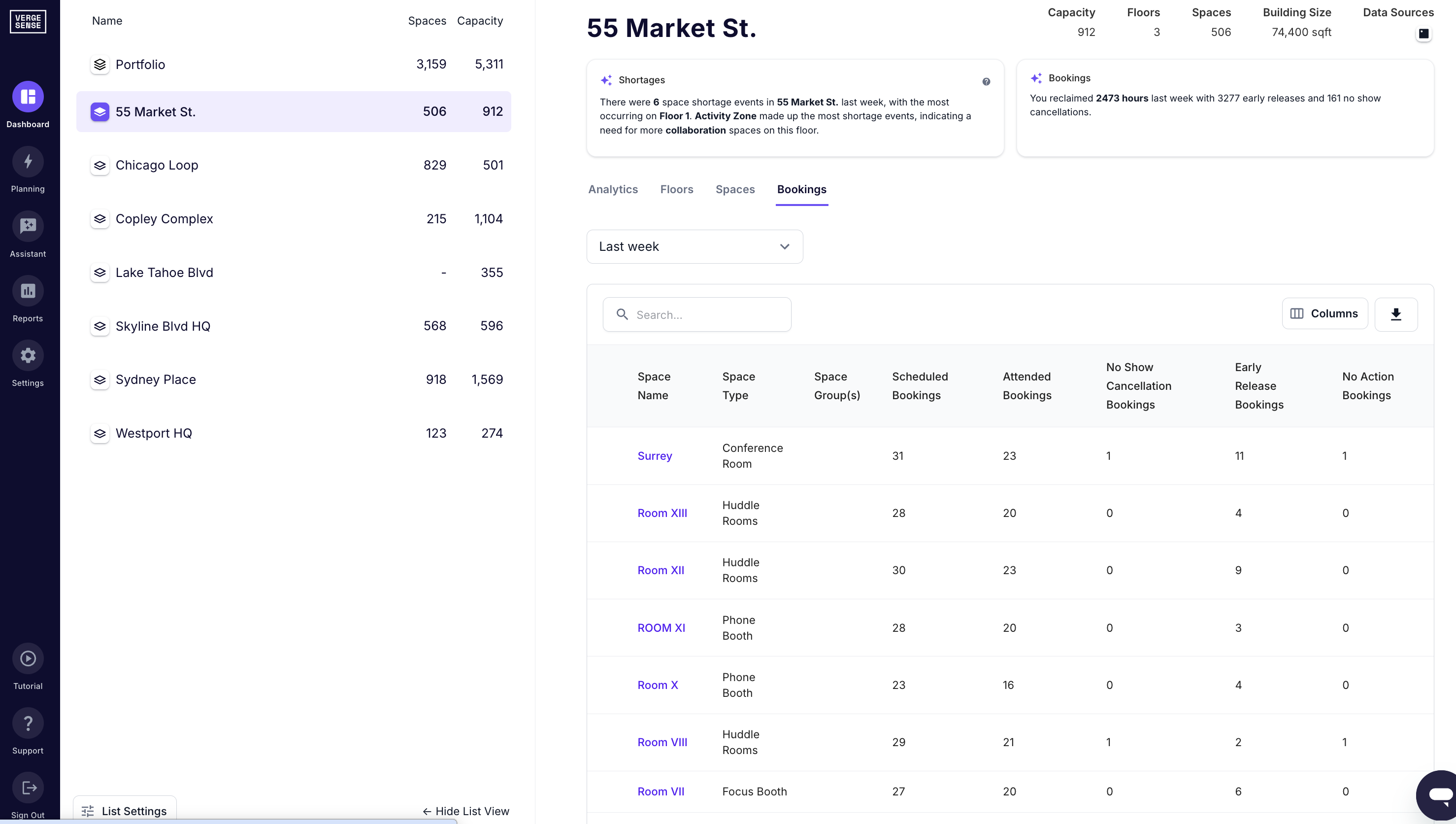
Capture occupancy data at the neighborhood, floor, and individual space level. Modern occupancy intelligence platforms combine sensor data, badge swipes, and Wi-Fi signals to show actual behavioral patterns rather than headcount assumptions. Identify where demand outpaces supply and where space sits underutilized.
Not currently measuring occupancy in parts of your office? Predictive Planning leverages benchmark data to simulate occupancy trends across unmeasured buildings and floors. All you need is a floor plan to get started.
Step 2: Map Employee Workflow Patterns
Understand when and how employees use space: collaboration frequency, peak day timing, meeting behavior shifts. Planning metrics like employee risk thresholds and understanding your office’s safe operating zone help you identify where your workplace becomes constrained.
Step 3: Forecast Future Space Demand
Layer in hiring plans, team structure changes, and workplace policy shifts. Predictive planning tools model how different growth scenarios affect capacity and cost. Forecasts update continuously as conditions change.
Accessibility and Building Code Compliance
No office space planning project is complete without addressing accessibility and building code compliance. They're foundational constraints that shape everything from circulation paths and door widths to restroom counts and emergency egress routes.
ADA requirements include:
- Accessible routes throughout your workplace
- Minimum clear widths for corridors and doorways (typically 36 inches)
- Turning radii for wheelchairs
- Accessible workstations and compliant restrooms
These standards directly affect your usable square footage and capacity modeling.
Local building codes govern occupancy limits, fire safety, ventilation standards, and structural load capacities. They determine maximum occupant density per square foot and constrain how many people you can safely plan for in any zone.
Essential Office Space Planning Principles and Standards
The core challenge in office space planning is holding three things in tension: cost efficiency, employee experience, and operational flexibility. Fixed desk-per-employee formulas can't do that since they don't reflect how space actually gets used.
Design for actual activities, not headcount:
- Focused individual work
- Collaborative sessions
- Client meetings
- Social interaction
Headcount changes, policies shift, and teams reorganize. Your space plan needs to keep pace without requiring a full redesign each time. That means modular neighborhoods, adequate technology infrastructure, and buffer capacity for demand fluctuations.
Supporting infrastructure (storage, circulation areas, amenities, and common areas) is often the first thing underestimated in initial planning. Underallocate here, and you end up with cramped layouts that undermine the very experience the rest of your space plan is designed to support.
Open Office vs. Private Office Configurations
Open configurations maximize space usage. They deliver significantly better cost per square foot than private offices, which is why they're standard in high-rent markets. The efficiency gains can be significant:
- More usable square footage per employee than private office configurations
- Lower real estate cost per headcount
- Supports flexible seating like hot-desking and hoteling
But while private offices consume more square footage and reduce layout flexibility, open layouts create noise and distraction challenges for focused work.
At the same time, occupancy data shows employees book enclosed meeting rooms during peak concentration hours, creating bottlenecks. This matters when you're modeling capacity.
To address this, you need to identify which mix of space types matches your actual work patterns. With occupancy intelligence, you can measure how different employee populations use enclosed offices, open desks, and shared spaces throughout the week. That reveals the optimal configuration for each floor or neighborhood.
Activity-Based Working Zones
Activity-based working (ABW) shifts the design logic from assigning employees fixed desks to creating distinct work zones optimized for different work modes. Work is dynamic, and employees move between activities throughout the day, so the space should reflect that reality.
Common activity-based zones include:
- Focus areas with individual desks or booths for heads-down work
- Collaboration zones with flexible furniture and technology for team sessions
- Enclosed meeting spaces of varying sizes
- Social and amenity areas for informal connection
- Phone or video booths for private calls
The challenge is getting the mix right. Too many focus zones and teams struggle to find collaboration space during peak hours. Too few quiet areas, and employees can't concentrate.
Modern workplace analytics solutions reveal the true demand for each zone type by measuring utilization patterns across days, times, and neighborhoods. You can identify which zones consistently run at capacity, which remain underutilized, and how demand shifts throughout the week.
This allows you to right-size activity-based zones based on real behavior rather than historical benchmarks.
Storage and Common Area Planning
Storage, lockers, copy rooms, circulation paths, and shared amenities quietly consume 15 to 25 percent of your total footprint. These supporting spaces are often allocated based on outdated assumptions or inherited from previous layouts rather than actual demand.
Storage demand varies significantly by work model:
- Fully remote-first offices need minimal personal storage
- Hybrid environments often require a mix of assigned lockers and shared storage
- In-office teams need more dedicated space
Circulation efficiency directly impacts capacity. Hallways and pathways must meet building codes while avoiding wasted space. Amenity spaces like coffee bars, wellness rooms, and collaboration pantries serve important functions, but their size and location should reflect real demand rather than habit.
Utilization data shows which of these spaces actually get used. That's where reallocation decisions should start.
Office Layout Design Options and Space Optimization Strategies
Every layout choice carries a cost and a trade-off. The question is whether your current configuration reflects how your teams actually work, or just how someone assumed they would.
Common layout approaches:
- Open-plan layouts maximize density but sacrifice acoustic privacy
- Hybrid neighborhoods blend open desks with enclosed meeting spaces, offering flexibility for teams that shift between collaboration and focused work
- Activity-based working eliminates assigned desks, providing variety around tasks rather than titles
Each carries trade-offs. Open plans feel efficient on paper, but drive employees to book conference rooms for individual work. ABW environments reduce square footage per employee by 20 to 30 percent but require cultural buy-in and adequate space variety.
The data makes this decision easier than it sounds. Workplace analytics show which spaces employees use, which sit empty during peak hours, and where design mismatches create friction. If collaboration spaces are consistently overbooked while focus areas remain underutilized, rebalance your space mix.
Before committing to a redesign, platforms like VergeSense let you model utilization across different floor layouts, test desk-sharing ratios, and forecast whether a configuration change actually addresses the bottlenecks your teams experience today.
Data-Driven Office Space Planning Tools and Technologies
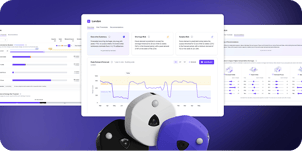
Predictive planning solutions combine occupancy data from sensors, Wi-Fi, badge systems, and booking platforms with forecasting models. The best ones, VergeSense Predictive Planning included, answer critical planning questions in minutes:
- What happens to space demand if we shift to a three-day office policy?
- How much space do we actually need for a 15% headcount increase?
The output isn't a static report. Scenario modeling updates as conditions change, and executive summaries and ROI calculations are generated without manual assembly.
Occupancy intelligence provides the behavioral data that makes accurate forecasting possible. Badge swipes and booking systems tell you who showed up or reserved a room. Occupancy intelligence captures how space is actually used across desks, collaboration areas, meeting rooms, and focus spaces.
As workplace technology evolves, spatial intelligence for AI workplaces is emerging as the foundation for AI-powered decision-making, future-proofing your planning stack as new capabilities become available.
AI-powered workplace assistants embedded within platforms make this data accessible without manual analysis. VergeSense Workplace Assistant lets you query workplace data using natural language:
- "Which neighborhoods are underutilized on Tuesdays?"
- "How has collaboration space demand changed since we launched our hybrid policy?"
That makes it practical for any member of the workplace team to pull answers quickly, not just analysts.
Transform Your Office Space Planning With Data-Driven Intelligence
Successful office space planning requires shifting from assumption-based planning to continuous, data-informed decision-making. Traditional cycles relied on periodic snapshots: consultant engagements every few years, static headcount projections, and generic benchmarks that rarely reflected how teams actually work.
But with AI-powered workplace solutions, you can combine predictive planning with precise occupancy measurement to align your space mix and portfolio footprint with how people actually work, not how someone assumed they would three years ago.
That foundation is what makes a well-designed office possible, one that serves both the organization and its people when onboarding a new team, responding to shifting return-to-office patterns, or evaluating a lease renewal.
Ready to plan with confidence?
See how predictive planning helps you translate utilization data into decisions about portfolio sizing, right-sizing, and design.
FAQs About Office Space Planning
How do companies accurately measure office space utilization?
Companies combine multiple data sources. Occupancy sensors, Wi-Fi analytics, badge data, and booking systems capture actual usage patterns across different space types. They aggregate this data at the neighborhood, floor, and building level to reveal utilization trends.
This multi-source approach shows not just whether a space is occupied, but how it's actually being used throughout the day and week.
What data should inform office space planning decisions?
Ground decisions in actual usage patterns, not static benchmarks. Key inputs include current space utilization by type and location, employee workflow patterns (collaboration frequency, peak days, meeting behavior), forecasted headcount and team structure changes, and workplace policy shifts.
Metrics like employee risk threshold and safe operating zone help identify the right balance between capacity and flexibility.
How can workplace analytics improve office space planning?
Workplace analytics transform planning from periodic guesswork into continuous optimization. Instead of relying on consultant studies that are outdated on delivery, analytics platforms provide ongoing visibility into underutilized neighborhoods, increasing collaboration demand, and shifting utilization trends.
You can model unlimited scenarios, compare space mix options, and forecast future needs based on actual behavioral data. This enables confident planning decisions without waiting months for answers.
What tools help organizations optimize office space planning?
Modern office space planning relies on three core tools: predictive planning platforms, occupancy intelligence systems, and AI-powered workplace assistants. Predictive planning combines behavioral occupancy data with forecasting capabilities, enabling you to model growth scenarios, right-size portfolios, and optimize space mix in hours rather than months.
AI assistants allow you to explore workplace data using natural language, quickly answering questions about utilization patterns and capacity needs without manual analysis.