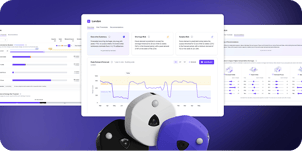




Most organizations are making real estate decisions with incomplete data. Badge swipes tell you who entered the building. Booking systems tell you what was reserved. Neither tells you whether space was actually used, or how much of it you actually need.
This guide answers the seven questions that shape how real estate, workplace, and facilities leaders evaluate, deploy, and get ROI from occupancy sensors.
- Sensor accuracy and which technology matches your needs
- Portfolio right-sizing, space design optimization, and operational automation
- Why occupancy sensors beat motion detection for real estate decisions
- Privacy safeguards employee trust
- Real ROI calculations for your portfolio
- How to select and deploy successfully
- Want to know exactly how your workplace is actually being used?
VergeSense turns real occupancy data into forward-looking recommendations, so you can right-size your portfolio, design spaces that match demand, and stop planning on assumptions.
Question #1: How Do Occupancy Sensors Work?
Different sensor technologies deliver vastly different accuracy levels, installation complexity, and data outputs. Your choice depends entirely on your measurement objectives.
Most enterprise deployments use one or a combination of these detection methods:
- Passive Infrared (PIR): Detects heat signatures. 70–85% accuracy. Best for single-occupancy spaces (focus rooms, restrooms). Simple to install; lowest cost.
- Time-of-Flight (ToF): Infrared light pulses create a 3D space map. 90–95% accuracy. Ideal for open-plan areas and meeting rooms (covers 500–1,500 sq ft per sensor). Moderate cost.
- Computer Vision (Edge Processing): Processes visual data locally on the device; no stored images. 95%+ accuracy with behavioral insights (shortage risks, peak patterns). Requires Power-over-Ethernet or wireless network. Higher cost.
- Wi-Fi/Bluetooth Triangulation: counts connected devices. 60–80% accuracy; unreliable for precise occupancy. Best for campus-level movement only. Low cost.
The right data collection method depends on what you're trying to measure. Basic capacity management — understanding how many people are present at a given time — is well served by PIR or standard ToF sensors at a lower cost and complexity.
On the other hand, getting a more detailed look at your utilization patterns requires detailed usage patterns, trend analysis, and forecasting. This calls for computer vision or advanced ToF with behavioral data outputs.
For employee experience applications such as real-time space availability and booking integration, low latency and API connectivity are non-negotiable, which typically point toward computer vision or networked ToF solutions.
Question #2: What Are Occupancy Sensors Used For?
Occupancy sensors drive decisions across three core areas: portfolio right-sizing, space design, and operational efficiency.
Portfolio right-sizing gives you the data to reduce your real estate footprint without sacrificing employee experience. Badge swipes and booking rates miss walk-up usage and overstate demand. Occupancy sensors measure real presence across desks, meeting rooms, and neighborhoods, showing you how much space you need for peak demand.
Design optimization reveals whether your space mix matches how employees actually work. See if your 8-person conference rooms sit empty while huddle rooms are overbooked, or if certain neighborhoods consistently hit capacity while others remain sparse.
Automated operations leverage real-time occupancy data to trigger actions across workplace systems, from conditioning only occupied zones to prioritizing cleaning and auto-releasing no-show bookings. The result is lower energy costs, more efficient operations, and fewer availability complaints.
Question #3: What Is The Difference Between Workplace Occupancy Sensors And Motion Sensors?
The terms "occupancy sensor" and "motion sensor" are often used interchangeably, but they measure completely different things. For space planning decisions, that distinction matters.
Motion sensors detect movement only.
- Ideal for lighting and HVAC control in corridors or restrooms
- Go dark when people sit still
- Example: a conference room full of employees on laptops registers as "vacant" after a few minutes
- Accuracy: 60–70% in workplace settings
Occupancy sensors like VergeSense’s Infinity Sensor continuously detect presence, regardless of movement.
- Use thermal imaging, computer vision, or time-of-flight technology
- Identify whether a space is occupied even when people remain stationary
- Accuracy: 95%+ in workplace settings
Why the accuracy gap matters: A 15% underestimate in actual utilization can lead to premature lease exits or misguided consolidation plans. That gap directly impacts your business case.
Choose based on your need:
- Motion sensors: Building automation (turning lights on when someone enters a stairwell, or activating HVAC in previously unoccupied zones)
- Occupancy sensors: Space planning, capacity management, or employee experience decisions
Question #4: How Do Occupancy Sensors Maintain Employee Privacy?
Privacy is often the first objection in sensor evaluations. Occupancy sensors are designed to measure space usage, not monitor people. Here's how they protect privacy.
Privacy starts with hardware design. Leading occupancy sensors use passive detection methods: thermal imaging, depth sensing, or time-of-flight technology. These count presence without capturing identifiable images or personal data.
What you get instead:
- No facial recognition
- No video recording
- No personally identifiable information (PII) is collected at the sensor
Sensors collect counts, not identities. A desk sensor detects "occupied," a meeting room sensor detects "four people present." They don't detect who those people are.
Data stays aggregated throughout. Sensors transmit only occupancy counts and space status, not individual movements or details. Your analytics platform uses this data to understand utilization trends across floors and neighborhoods, not to track specific people.
Verify compliance during vendor selection. Ensure your sensor deployment aligns with GDPR, CCPA, and regional privacy regulations. Ask vendors for clear data processing agreements and documentation to share with your legal and HR teams.
Question #5: How Do Occupancy Sensors Make More Efficient Use Of Space?
Occupancy sensors deliver ROI in two ways: right-sizing eliminates the footprint you don't need, while optimization maximizes the performance of what remains.
Right-Sizing: Portfolio Reduction
Visibility is the first step. When sensor data shows that your headquarters runs at 42% average utilization with peaks at 68% on Tuesdays and Wednesdays, you have the business case to:
- Consolidate floors or entire buildings
- Renegotiate leases downward
- Sublease or repurpose underused space
According to VergeSense's 8th Edition Workplace Occupancy & Utilization Index, peak capacity usage across organizations sits in the 52–60% range globally.
If your data shows 80% of desks never exceed 50% occupancy, but a few neighborhoods hit capacity, consolidate low-demand workstations and redistribute that square footage. This allows you to accommodate more employees with less total space.
Optimization: Rebalancing for ROI
Sensor data exposes the space mismatch most floor plans hide.
- Enclosed focus rooms: 77% average occupancy (81% peak) — 8% of footprint
- Enclosed collaboration: 27% average occupancy — 15% of footprint
- Open collaboration: 18% average occupancy — 8% of footprint
The pattern here is consistent: enclosed spaces are undersupplied relative to demand, while open areas absorb footprint without earning it. Reallocating square footage from underperforming open areas into high-demand enclosed rooms gives employees spaces they actually use.
Together: Smaller Footprint, Higher Performance
Used together, right-sizing and optimization support each other through less, but better used space. Both depend on occupancy data granular enough to distinguish a consistently empty floor from a consistently overbooked neighborhood.
Question #6: How Do Workplace Occupancy Sensors Better Serve Employees?
Occupancy sensors cut the friction out of modern ways of working. No more hunting for an open desk, walking multiple floors to find a quiet room, or arriving at an empty conference room that was booked hours earlier.
Real-Time Space Discovery
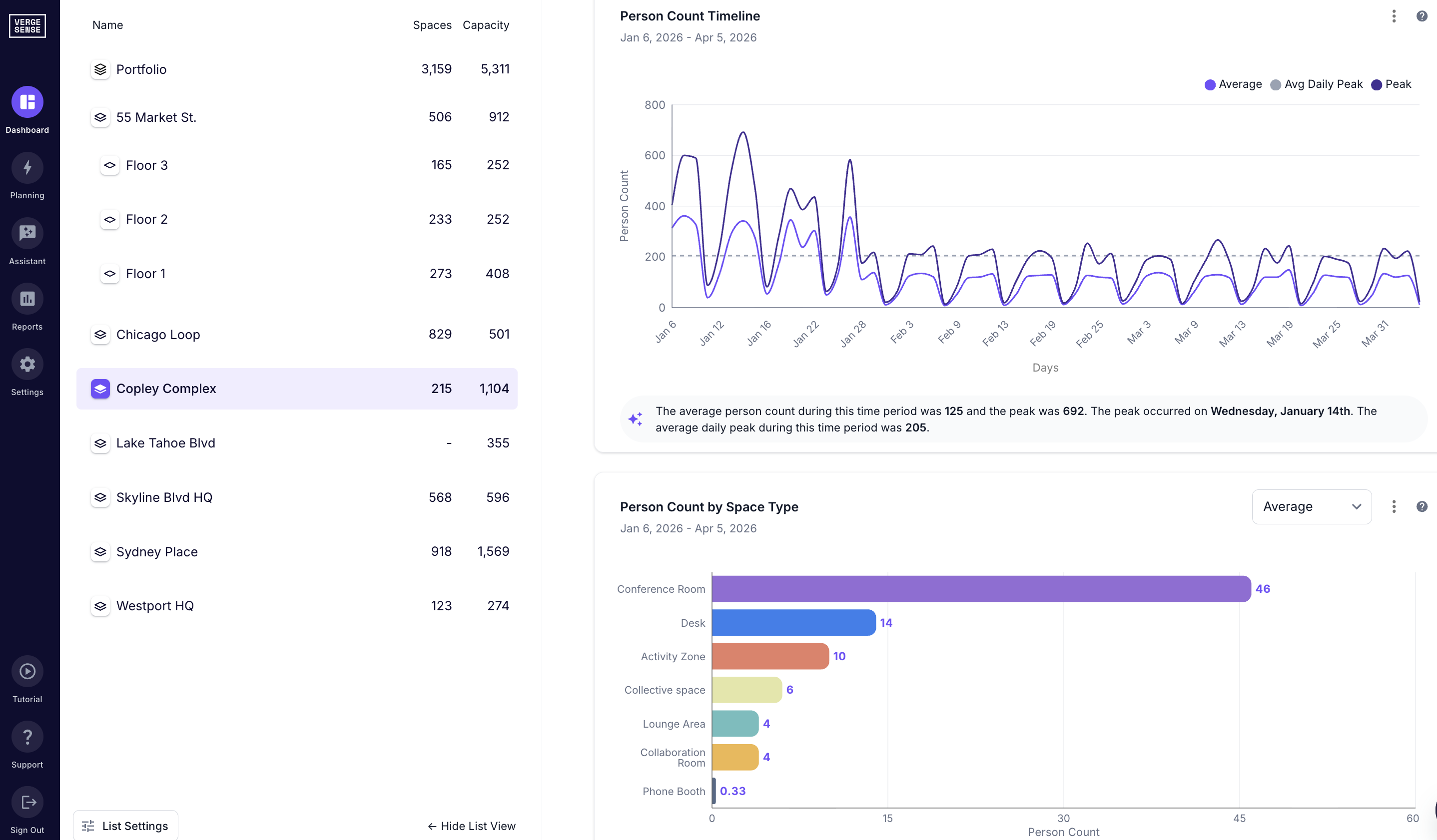
Sensor data feeds directly into workplace apps and digital signage, showing employees which desks, focus rooms, and collaboration spaces are actually available right now. On high-occupancy days when demand peaks, this visibility saves minutes that would be lost to searching.
Smarter Room Release
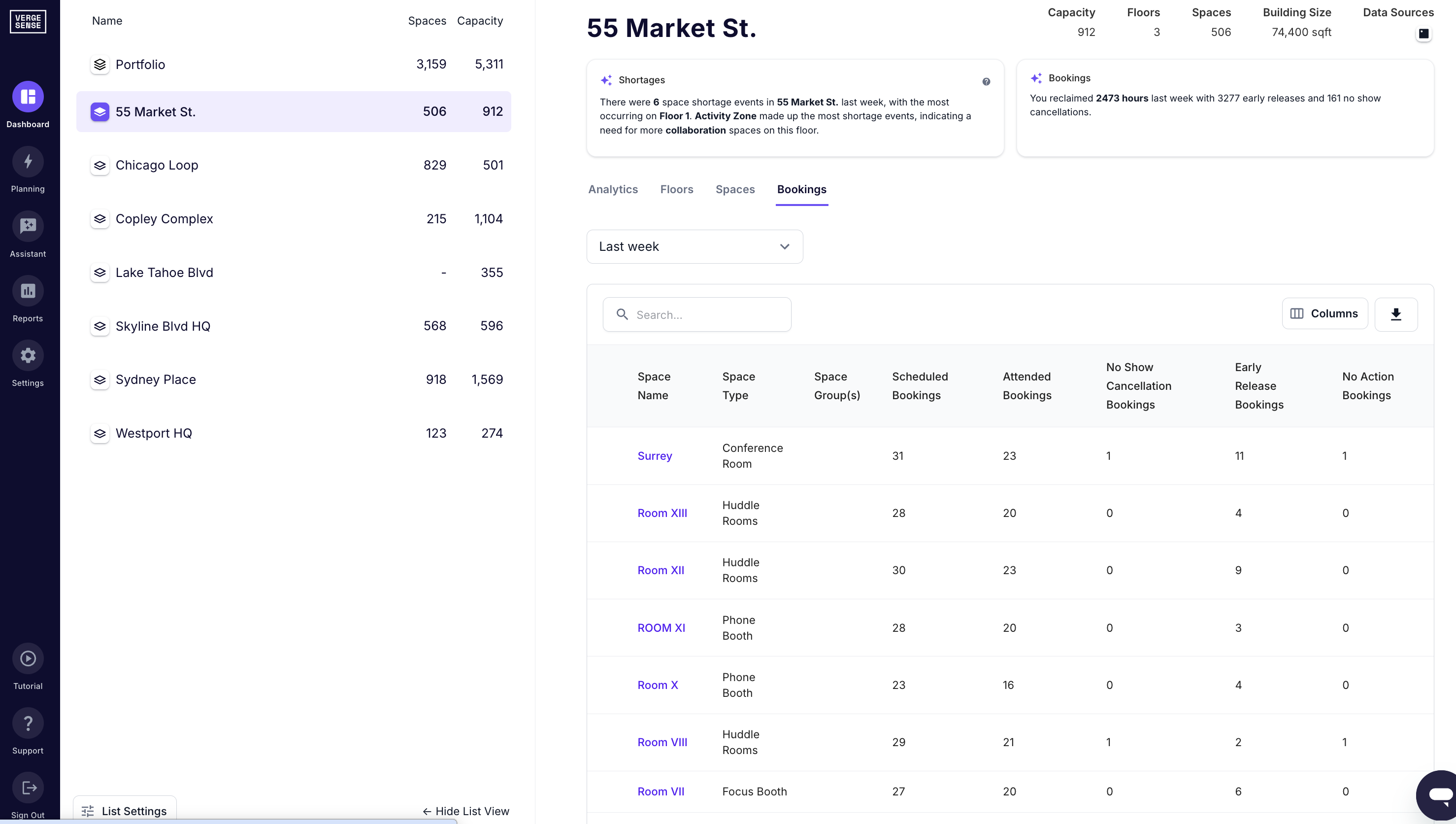
Occupancy data powers automatic no-show room release. If a room is booked but empty within 10–15 minutes, the system frees it for others. This single feature increases effective meeting room capacity by 15–20% without adding square footage.
Predictive Service Delivery
Sensor data helps facilities teams shift from reactive to predictive. If the 8th floor consistently hits 85% occupancy on Tuesdays and Wednesdays, you schedule additional janitorial rounds, stock supplies, and position IT support where demand spikes. Your team works where it matters most.
Question #7: How Can Sensors Help Me Increase My Company's Profitability?
Workplace occupancy sensors deliver financial returns through three measurable channels: real estate cost reduction, operational efficiency gains, and employee productivity improvements.
Real Estate Cost Reduction
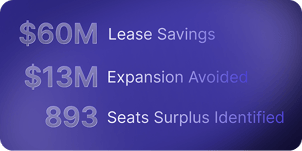
At $50–$75 per square foot annually in major markets, a 20% footprint reduction across 200,000 sq. ft. saves $2–3 million per year in lease and operating costs. Layering sensor data with lease renewal timelines lets you identify underutilized floors 12–18 months before expiration. This is early enough to build a defensible case before negotiations begin.
For example, a global food manufacturer facing a CFO-mandated cost reduction used VergeSense to conduct a six-month usage study of its Chicago HQ. The data revealed average capacity usage of just 5%, giving leadership the confidence to reduce their operating footprint by 75% and achieve $715K in annual cost avoidance.
Operational Efficiency
Automating HVAC schedules based on actual occupancy (not static time blocks) typically yields 15–25% energy efficiency gains in conditioned spaces. Optimizing cleaning routes using real utilization data cuts janitorial costs by 10–15% without compromising experience.
For example, a global financial services firm integrated VergeSense with its building operations platform to align cleaning schedules with actual space usage. This eliminates cleaning of unused spaces and saves $2M annually on a $4M cleaning contract.
Employee Productivity
Sensor-driven space availability reduces the time employees spend searching for desks and rooms, a friction point that compounds across thousands of people and peak days. When employees can see live availability before they arrive or on a floor display when they're moving between spaces, they spend less time wandering and more time working.
For facilities teams, the same data shifts service delivery from reactive to predictive: staff supplies, schedule cleaning rounds, and position IT support based on where demand is actually concentrating, not where it was last week.
Measuring Success
Build a repeatable model using clear KPIs:
- Cost per square foot
- Energy spend per occupied hour
- Space utilization rate
- Employee satisfaction scores
Review quarterly and tie sensor insights to specific interventions: lease decisions, design updates, policy changes. Track before-and-after metrics using frameworks from leaders redefining office strategy, so you can quantify ROI and refine your approach over time.
How To Choose and Deploy Workplace Occupancy Sensors Successfully
Choosing the right sensor platform and deploying it successfully are two different challenges.
The vendor evaluation criteria, integration requirements, and installation logistics each deserve attention. But the conversations that most often delay deployments are organizational: privacy sign-off, data governance, and change management.
Therefore, plan for 3–6 months from vendor selection to full coverage, and treat that groundwork as part of the project itself.
Essential Evaluation Criteria
Three factors separate deployments that drive decision-making from those that become shelfware: data quality, integration depth, and privacy assurance.
Data Accuracy and Granularity
Granular, accurate data is foundational. If sensors can't measure what's actually happening in your spaces, everything that follows is guesswork.
- Look for 95%+ accuracy across varied lighting and space types
- Request sample data outputs: hourly aggregates won't reveal 2 p.m. bottlenecks
- Verify measurement type: presence detection, people counting, or both?
Integration Capabilities
Your sensors are only as valuable as the decisions they enable. Disconnected data becomes a dashboard nobody uses.
- Must push data to IWMS, booking platform, BMS, and analytics via APIs
- Prioritize pre-built connectors over custom development
- Isolated metrics add no value
Privacy Architecture
Privacy concerns kill sensor projects before they start. Build trust into your vendor selection.
- Data anonymization built into hardware layer
- GDPR, CCPA, and regional compliance documentation required
Installation and Integration
Getting sensors from selection to live operation requires attention to physical infrastructure and network coordination. Plan both upfront to avoid delays.
Hardware
Deployment speed and cost depend heavily on your physical infrastructure. Modern sensors are designed for quick installation.
Power over Ethernet eliminates electrical work. Budget 10–15 minutes per sensor for ceiling-mounted units. Battery-powered sensors deploy faster but need maintenance every 2–5 years. Coverage: 800–1,200 sq. ft. per unit for open areas.
Network
Network infrastructure rarely becomes the bottleneck. Plan early with IT to avoid surprises.
Minimal bandwidth (1–5 Kbps per sensor). Coordinate with IT on firewall rules. Confirm on-premises or regional cloud hosting if data residency matters. Pilot on 2–3 representative floors before scaling.
Implementation Strategy
Move from planning to execution with a phased approach that proves ROI before scaling portfolio-wide.
Start With Your Biggest Problem
Pilots fail when they're designed to test "sensors" instead of answering a specific business question. Start narrow and prove value before scaling.
Pilot deployments should answer your most urgent question:
- Facing lease renewals? Establish utilization baselines and identify right-sizing
- Employees can't find space on peak days? Quantify capacity gaps in high-demand areas
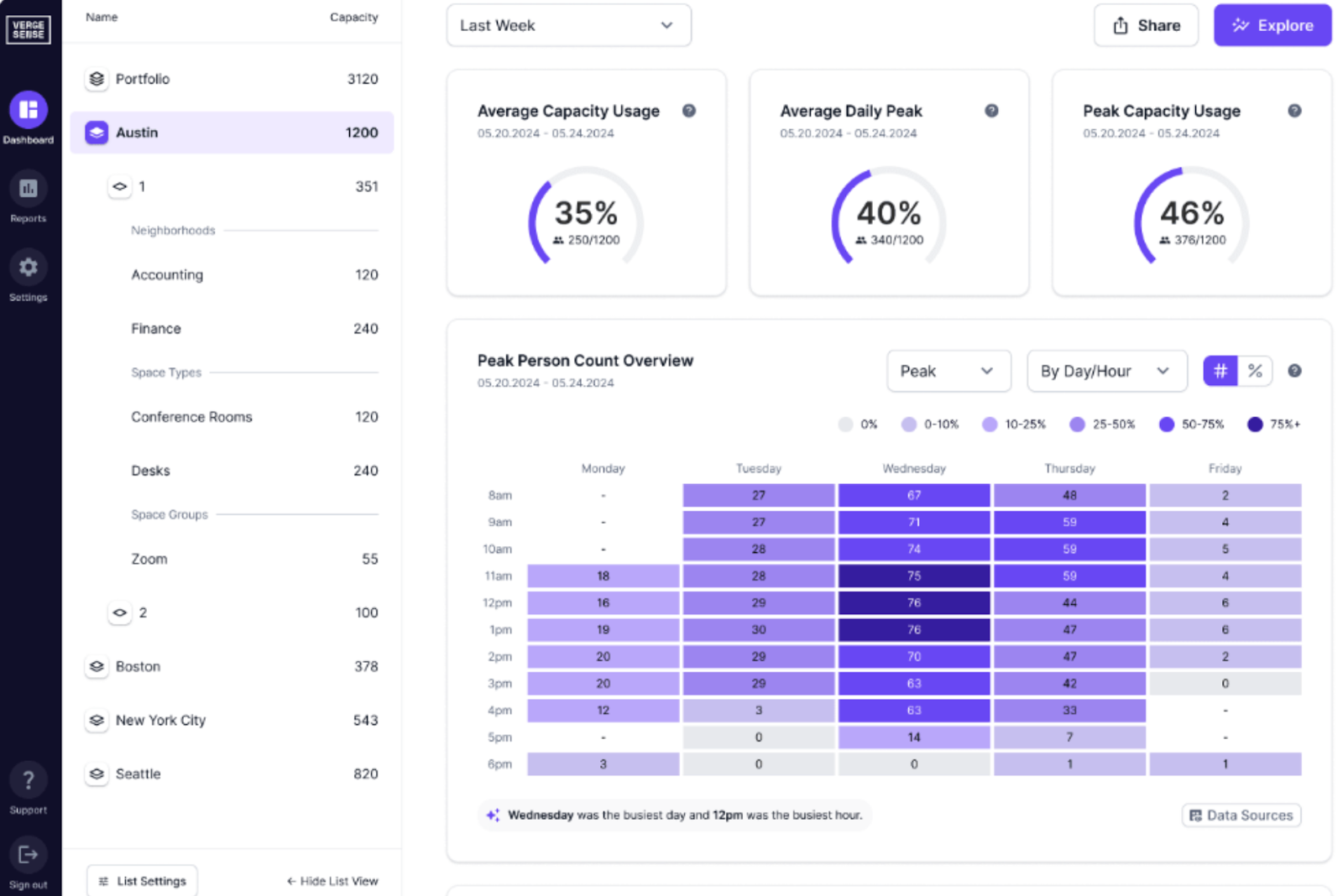
Run pilots 60–90 days minimum to capture weekly patterns and seasonal variation. Shorter deployments miss the fact that Tuesday and Wednesday occupancy often runs 40–50% higher than Monday or Friday.
Integrate Into Existing Workflows
Data sitting in dashboards drives nothing. Embed occupancy insights into the systems and processes your teams actually use every day.
- Feed real-time availability into your booking platform
- Push utilization reports into your IWMS for grounded portfolio planning
- Monthly reviews drive action: convert underused offices, revise desk ratios, rebalance allocation
Track before-and-after metrics to quantify ROI and refine your approach.
Make Workplace Occupancy Sensors Work For Your Organization
Deployments succeed when you start narrow, embed insights into daily workflows, and measure relentlessly. The vendors you evaluate, the floors you pilot on, and the stakeholders you align all matter less than commitment to acting on what the data reveals.
Use occupancy insights to answer one urgent question: Are you consolidating space? Right-sizing? Fixing employee experience? Let that question drive your pilot design, the metrics you track, and the actions you take when patterns emerge.
When you see Tuesday occupancy spiking 40% higher than Friday, you schedule accordingly. When a neighborhood consistently hits 85% capacity, you reallocate. When a meeting room sits unused, you release it.
That closure between measurement and action is what separates sensor deployments that transform portfolios from those that become dashboards nobody uses. VergeSense is built to close that gap, from the first sensor install to portfolio-wide decisions you can defend.
Ready to reduce real estate costs and improve employee experience with occupancy data?
VergeSense's occupancy intelligence platform gives you accurate, privacy-safe data and AI-powered forecasting to optimize your portfolio with confidence.